
Long lines, paperwork, and waiting—that’s what many of us expect when it’s time to get our employment contracts verified. But what if I tell you it doesn’t have to be that way anymore? In fact, my contract got verified in less than a week without the need to physically go to the Migrant Workers Office (MWO) in Dubai.
This was my very first time applying for contract verification, which is why I was absolutely thrilled when I heard about the launch of online employment contract verification system in Dubai last June. Imagine being able to complete everything entirely online, from document submission, payment, and even receiving your verified contract.
Contract verification is an essential step for OFWs. It ensures that your employment terms are officially recognized, protects your rights, and helps avoid potential issues with your employer or visa status. Knowing your contract is verified gives you peace of mind and security while working abroad.
Here’s how the online process worked for me.
Signing up on the Portal
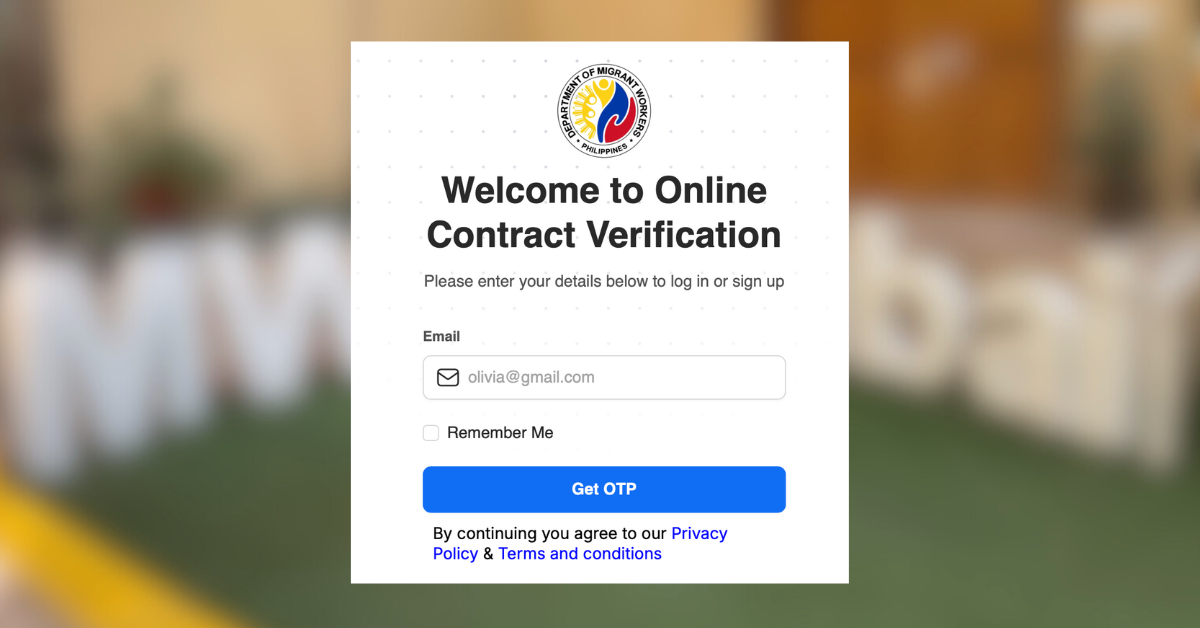
I started by creating an account on the official website: https://dmw.dataflowgroup.com. You don’t even need to set up a password, just make sure your email is active and accessible because every login requires a 6-digit OTP.


Before I began, I prepared the required documents to make the upload process smooth. Since I fall under the skilled worker category, I am required to submit:
- Passport (bio page)
- Emirates ID (both sides)
- Employment contract from MOHRE
All documents should be in JPG, PNG, or PDF format only, as other formats are not accepted by the system.
The application process
Once I had everything ready, I chose MWO-Dubai as the receiving authority. This is the correct option if your visa was issued in Dubai, Ajman, Fujairah, Ras Al Khaimah, Sharjah, or Umm Al Quwain.

After that, the system asked me to select between skilled and domestic worker categories. (For domestic workers, there’s a separate list of requirements available here: https://mwodubai.org/contract-verification/.)

Finally, I was able to upload my documents. First, to verify my identity, I uploaded my passport, followed by the Emirates ID as the work permit. To complete the requirements, I presented my employment contract that can be downloaded from the MOHRE App, which has the approval stamp of the Ministry.
And that’s all you’ll need. But to be certain, I also submitted supporting documents (optional) like our company’s Trade License and salary proof.
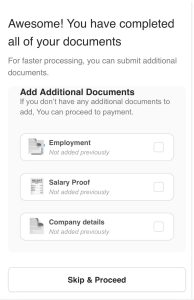
What I appreciated is that the system saves your progress, so even if you’re missing a document, you can log out and continue the next day.

Ensure that your documents are clear and readable, as the system will auto-fill your information. Still, it’s best to double-check everything to confirm that all details are accurate and free of typographical errors.
Booking a slot
I first tried to submit my application on August 4 in the afternoon, but there were no slots available at the time. Since my case wasn’t urgent, I decided to wait for a few days. By August 7 around 9 a.m., I tried again and was able to secure a slot.
At that time, the system had a limit of 200 slots daily or 1,000 weekly, but the MWO recently announced that the limit has been increased to 3,000 slots per week starting August 18.
Payment and eKYC verification
Once I got a slot, I immediately paid the AED 21.50 convenience fee online. Honestly, the amount was reasonable, considering I didn’t have to take the bus or metro. Not to mention the time and effort it takes to travel about 1.5 hours to the MWO-Dubai from my place by public transport. In short, I saved a lot of time commuting, avoided waiting in line, and didn’t have to walk under the heat.
No need to worry if your payment went through, as the website will show a confirmation immediately, and you’ll also receive it in your email.

The next step was the eKYC (electronic Know Your Customer) process, which verifies your identity. This required scanning my passport and completing facial recognition, so I made sure I was in a well-lit area. It’s a crucial step as the application won’t move forward unless you complete it, even if you’ve already paid the convenience fee.
Waiting for approval
After submitting everything, all I had to do was wait. My contract was verified on August 13, just six days after I applied.
When I logged into my dashboard, I saw the instructions to pay the AED 40 verification fee in order to download my report. Payment can be made anytime within 30 days, but I paid right away and downloaded my verified contract the same day.
And just like that, I already have my verified contract.
The report also mentioned that my OEC (Overseas Employment Certificate) would be available on the DMW portal within 24 hours, so I made sure to have an account ready there as well. I received mine after another 7 days and was notified via email.

For those whose verification was disapproved due to missing documents or blurred copies, don’t worry. The system now has a resubmit feature, allowing you to upload missing or corrected documents without reapplying or paying again, as long as you complete it within 15 days.

Overall experience
The process was simple, fast, and straightforward. While I can’t compare it to lining up at the office, I already appreciate how convenient this fully online system is, especially if your flight is still months away.
My work contract got verified in under 7 days, without leaving home. Still, this timeline is just a reference and may vary depending on several factors. The standard processing time is typically 3 days, according to MWO.
For urgent cases or those with confirmed flights, there’s still the option to verify in person, so you have flexibility depending on your timeline.
What’s encouraging is that the agency is actively improving the system. In just over a month, they’ve already expanded the weekly slot limit and added new features to address OFW concerns. It’s clear they’re listening, and that matters.
For me, this digital move is a major step forward. It saves us time and effort, while also reflecting how our government is adapting to the needs of OFWs. Hopefully, as the system continues to improve, more and more of us can experience seamless contract verification at the comfort of our homes.
For a straightforward step-by-step guide, you may check this post from The Filipino Times.